
By Renexor, Your Printer’s Smartest Friend
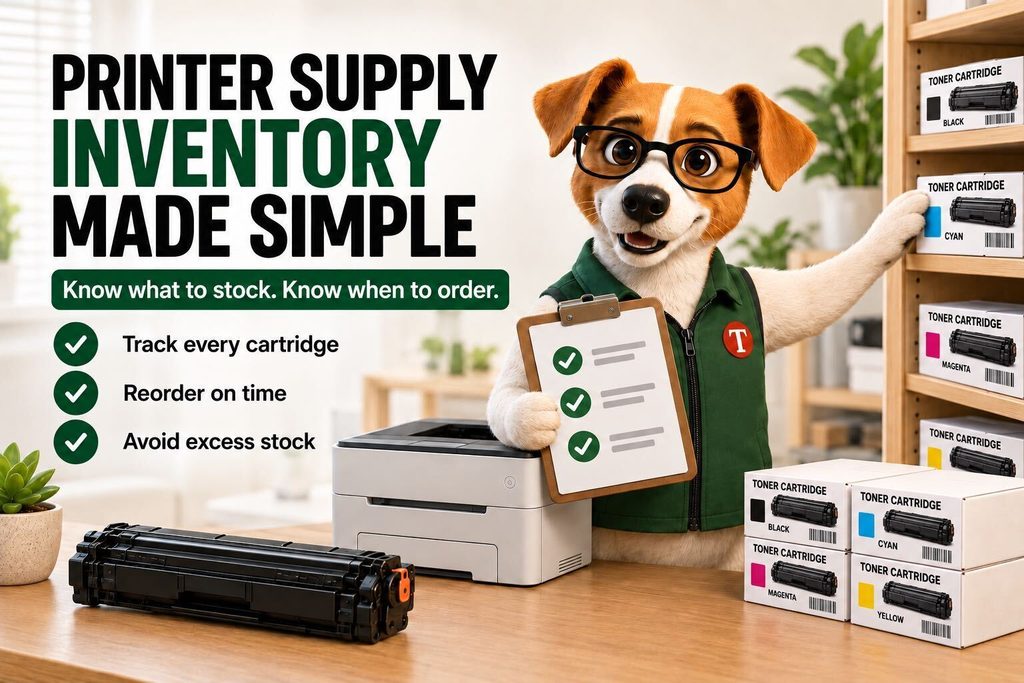
Toner Cartridge Depot’s mascot and printer-supplies guide
Quick answer: Build a printer supply inventory by matching each active printer to its exact supply part numbers, counting usable spare stock, and recording how quickly each item is used. Set reorder levels using demand, delivery time and a safety buffer. Assign one person to update the record whenever supplies arrive or leave the shelf.
A cabinet full of toner can still leave your office unable to print. All it takes is six cartridges for the printer you retired—and none for the one handling today’s invoices.
I’m Renexor. My rule for the supply cabinet is simple: every box needs an active printer, a known location and a reason to be there. Here is a practical system you can start with a shared spreadsheet.
1. Start with the printers you actually use
Walk through the office before placing another order. Record each printer’s full model number, location and the person responsible for it. Check remote offices and departmental cabinets, too.
Match every machine to the manufacturer’s supported supply part numbers. Include the complete suffix and color. Similar printer names or cartridge packaging are not proof of compatibility.
For each printer, check which items apply:
- Black and individual color toner or ink cartridges.
- Separate drum or imaging units.
- Waste-toner containers.
- Maintenance kits and other model-specific service parts.
Track service parts separately from toner: they may follow different replacement schedules or require a technician. If a service contract includes supplies, record who provides them before buying duplicates.
2. Count usable spares—not everything in a box
Separate unopened, correct supplies from installed cartridges, returns, damaged items and empty cartridges waiting for recycling. A used cartridge placed back in its original box must not count as a spare.
Record installed supply status separately. For the simple method below, spare inventory means complete, usable replacement units. It does not include an estimated fraction of toner still inside a printer.
Use one row per exact supply SKU and storage location. If several printers use the same verified SKU, they can share that stock; combine their consumption when planning replenishment.
3. Create a printer supply inventory table
Copy these fields into a shared sheet. Add color, capacity and manufacturer part number to the SKU description so nobody has to guess.
| Field | What to record |
|---|---|
| Supply SKU and supported printers | Exact part number, color, capacity and verified printer models |
| Storage location | Office, cabinet and shelf or bin |
| Usable spares on hand | Physical count of replacement units ready to issue |
| Open orders | Quantity, order reference and confirmed arrival date |
| Unfilled requests | Immediate replacement needs not yet issued from stock |
| Usage rate | Units issued per week, with measurement period |
| Reorder trigger and target | When to order and the inventory position to restore |
| Receipt date and unit cost | For stock rotation and money tied up in inventory |
| Owner and last count | Person responsible and date physically checked |
Update the count when someone takes a cartridge, not when they remember later. A label on the shelf can say: “Taking a cartridge? Record the SKU, quantity and printer.”
4. Measure how quickly you use each supply
A practical starting point is the last 8–12 representative weeks of cartridge issues or replacements. For low-volume printers, use a longer period that includes several replacements. Purchase history alone can mislead you: a bulk order is not evidence that you consumed everything that month.
Average weekly usage = units issued ÷ weeks observed
If the office used 12 identical cartridges in 12 weeks, average usage is one per week. Check for upcoming workloads such as enrollment packets or a large customer mailing before treating that average as next month’s forecast.
If you have no replacement records, page volume divided by published cartridge yield can provide a rough starting estimate. Replace it with observed usage as records accumulate. HP’s yield information explicitly notes that actual results vary with printed content and other factors.
Keep standard- and high-yield units separate in your calculations. One of each is two boxes, but not necessarily two equivalent amounts of printing capacity.
5. Calculate when to reorder toner
Your reorder trigger must cover the time until fresh stock becomes available. Include internal approval, supplier processing, transit and receiving—not just the carrier’s advertised shipping speed.
If you check inventory weekly, allow for that interval too. Otherwise stock can fall below the trigger just after a check and remain unnoticed for another week.
Practical reorder trigger = round up [weekly usage × (replenishment lead time + review interval) + safety stock]
Use weeks for both time inputs and cartridges for safety stock.
This is a simple planning rule, not a guarantee against shortages. Choose the safety buffer based on delivery variability, uneven demand and the consequences of a stopped printer. A spare shared office printer can reduce the need for extra stock; a critical device with no substitute may justify more.
Compare the trigger with your inventory position: usable spares on hand + confirmed incoming units − unfilled replacement requests. Review arrival dates as well as quantities. A late shipment cannot cover an immediate shortage.
Worked example: three printers sharing one toner SKU
The following numbers are illustrative planning assumptions, not product specifications or a delivery promise.
- Combined usage: one cartridge per week.
- Replenishment lead time: two weeks.
- Stock review: once a week.
- Chosen safety buffer: one cartridge.
Reorder trigger = 1 × (2 + 1) + 1 = 4 cartridges.
At the weekly check, the shelf holds three usable cartridges, with none on order and no unfilled requests. Inventory position is three, below the trigger of four: place an order.
How many? Set a separate target that reflects your purchasing cadence and storage budget. Suppose you choose six cartridges—covering the three-week protection period, the one-unit buffer and two additional weeks of expected demand. Order 6 − 3 = 3 cartridges.
Record those three incoming units immediately. Your inventory position becomes six, although the shelf still holds three. That distinction prevents a second person from ordering the same replenishment again.
Revisit the assumptions when usage or delivery times change. For very intermittent demand, several printers nearing empty together, or major seasonal surges, averages alone are insufficient: inspect the upcoming replacement needs directly.
6. Keep bulk buying from becoming dead stock
Before accepting a quantity discount, estimate how long the purchase will last and whether the printers will still be in service then. Check storage instructions, return conditions and any applicable dates on the packaging.
Do not order another full color set automatically when only black is running low. Track each color’s stock and consumption separately.
Store cartridges according to their manufacturer’s instructions. This manufacturer manual, for example, specifies keeping the toner cartridge or imaging unit in its unopened original packaging until installation. Follow the storage limits for your particular product rather than applying one universal temperature or shelf-life rule.
Mark receipt dates and use older suitable stock first; prioritize an earlier applicable use-by date where one is specified. Keep returns and recycling in a visibly separate area.
7. Give one person ownership—and a backup
Assign an inventory owner and a backup who can place orders during absences. As a starting routine, review fast-moving or critical supplies weekly and reconcile the full cabinet monthly. Adjust the cadence to your actual workload.
Track four outcomes: supply-related printing interruptions, emergency shipping charges, differences between recorded and physical counts, and the value of stock with no active compatible printer.
When a printer is replaced, update its supply record and pause standing orders. When a delivery is delayed, reconsider coverage immediately. These events should trigger action without waiting for the next scheduled count.
Printer supply inventory FAQ
How many spare toner cartridges should a small business keep?
Enough to cover expected replacements during replenishment lead time and the interval between inventory checks, plus a chosen safety buffer. Calculate this by exact SKU. One spare per printer can be excessive for rarely used machines and insufficient for a busy shared fleet.
Should I reorder when the printer says toner is low?
Use the warning to check available spares and incoming orders. It is not, by itself, a complete purchasing policy. Your reorder decision also depends on usage and delivery time; the manual determines what the warning means for that model.
Can several printers share spare cartridges?
Yes, if their manufacturer documentation confirms compatibility with the same exact supply. Pool stock only where employees can access it promptly. A spare at another branch may not help with today’s deadline.
Do I need inventory software?
A shared spreadsheet can be a practical starting point for a small fleet with one accountable owner. Consider dedicated software when multiple locations, frequent stock movements or repeated discrepancies make the manual record unreliable.
Put the next order on firmer ground
Start with the supply your busiest printer uses: verify its part number, count usable spares and set a reorder trigger. Then extend the same record to the rest of the office.
Ready to replenish? Find printer supplies at Toner Cartridge Depot. Have the full printer model and supply part number ready; if you need help confirming the match, contact our team before ordering.
For related buying decisions, see our guide to printer cartridge compatibility and our OEM, compatible and remanufactured toner comparison.
— Renexor, Your Printer’s Smartest Friend
Toner Cartridge Depot — Your Printer’s Best Friend. Since 1998.
Sources and method
Manufacturer sources are linked next to the relevant yield and storage guidance. Oracle NetSuite’s stock-level reference explains on-hand stock, open orders, reorder points and safety stock. The weekly review method, chosen buffer and numerical example in this article are editorial planning recommendations for a small office, not manufacturer requirements or measured customer results.