
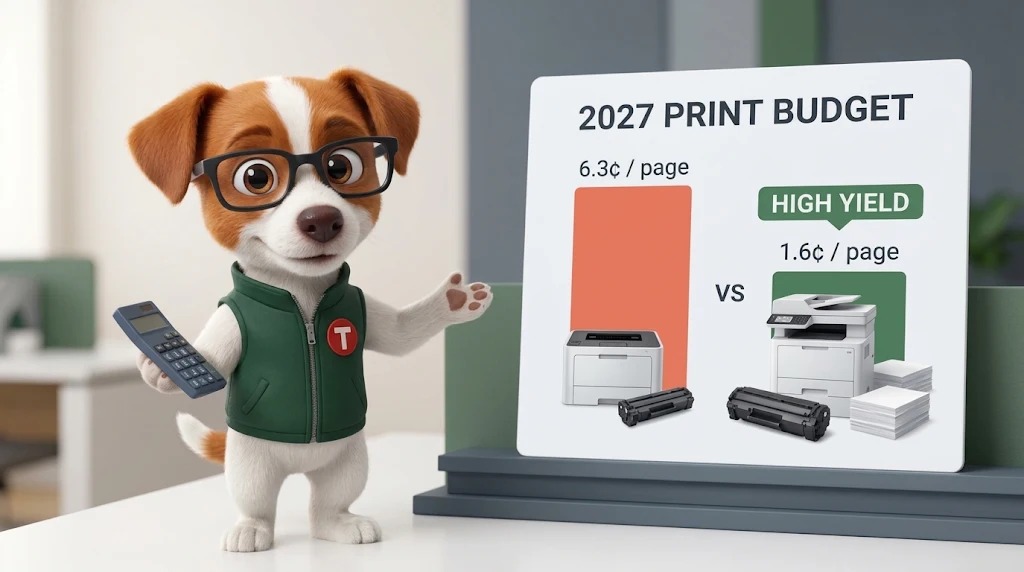
Quick answer: across nine HP LaserJet families common in business offices, genuine HP toner costs between 1.6¢ and 6.3¢ per page at list price. Buying the high-yield cartridge cuts cost per page by 23–41%. Running pages on an enterprise LaserJet instead of a small desktop model cuts it by about 60%.
Find your answer:
I’m Renexor. This time of year, office managers start asking the same question: “How much should we set aside for toner next year?” Most people answer it by looking at what they spent last year and adding a little. I would not recommend that. Last year’s spend tells you what you bought, not what your printing should cost, and supply prices are not standing still.
So I did the math for the HP LaserJet printers I see most often in offices, schools and small businesses. Here is what each page really costs, and where the money goes.
Why this matters for 2027 budgets
Printer supplies keep getting more expensive. Canon raised U.S. prices twice in 2025, and Brother announced increases to offset tariff costs (source). Ricoh raised prices on selected printer products in April 2026, citing energy, materials and logistics costs (source). A budget built on last year’s habits, especially buying whichever cartridge is cheapest on the shelf, will usually come in high.
How I calculated cost per page
- Price: the list price displayed on each product page at tonercartridgedepot.com on November 16, 2026. Your actual price is shown in the cart.
- Yield: the manufacturer’s rated page yield (ISO/IEC 19752 for monochrome toner, which assumes about 5% page coverage).
- Cost per page = cartridge price ÷ rated yield.
- Every cartridge here is genuine (OEM) HP. The HP LaserJet cartridges in this list have the imaging drum built in, so the figure covers toner and drum. It does not include paper, fusers or maintenance kits.
- For the two color families, I priced the black cartridge only. Those figures apply to black-text pages; color pages cost more.
Cost per page: standard vs. high yield
Find your printer in the first column. The bold figure is the one I would budget with.
| Printer family | Standard cartridge | Cost/page | High-yield cartridge | Cost/page | High yield saves |
|---|---|---|---|---|---|
| HP LaserJet Enterprise M607 / M608 / M609 / MFP M631–M633 | 37A (CF237A)$261 · 11,000 pp | 2.37¢ | 37X (CF237X)$403 · 25,000 pp | 1.61¢ | 32% |
| HP LaserJet Enterprise M610 / M611 / M612 / MFP M634–M636 | 147A (W1470A)$257 · 10,500 pp | 2.45¢ | 147X (W1470X)$409 · 25,200 pp | 1.62¢ | 34% |
| HP LaserJet Pro M501; Enterprise M506 / MFP M527 | 87A (CF287A)$325 · 9,000 pp | 3.61¢ | 87X (CF287X)$442 · 18,000 pp | 2.46¢ | 32% |
| HP LaserJet Pro M404 / MFP M428; Enterprise M406 / MFP M430 | 58A (CF258A)$147 · 3,000 pp | 4.90¢ | 58X (CF258X)$306 · 10,000 pp | 3.06¢ | 38% |
| HP Color LaserJet Pro M454 / MFP M479 (black) | 414A (W2020A)$117 · 2,400 pp | 4.88¢ | 414X (W2020X)$236 · 7,500 pp | 3.15¢ | 35% |
| HP LaserJet Enterprise M507 / MFP M528 | 89A (CF289A)$206 · 5,000 pp | 4.12¢ | 89X (CF289X)$316 · 10,000 pp | 3.16¢ | 23% |
| HP LaserJet Pro M402 / MFP M426 | 26A (CF226A)$174 · 3,100 pp | 5.61¢ | 26X (CF226X)$299 · 9,000 pp | 3.32¢ | 41% |
| HP LaserJet Pro M203 / MFP M227 | 30A (CF230A)$91 · 1,600 pp | 5.69¢ | 30X (CF230X)$140 · 3,500 pp | 4.00¢ | 30% |
| HP Color LaserJet Pro M255 / MFP M283 (black) | 206A (W2110A)$85 · 1,350 pp | 6.30¢ | 206X (W2110X)$130 · 3,150 pp | 4.13¢ | 34% |
Annual toner budget per printer
This is the table I would hand to whoever signs off on the supplies budget. Pick the column closest to each printer’s monthly page count. The last column shows what the same printer costs per year at 5,000 pages a month if you keep buying the standard cartridge.
| Printer family (high-yield cartridge) | 2,000 pp/month | 5,000 pp/month | 10,000 pp/month | Standard yield at 5,000 pp/month |
|---|---|---|---|---|
| M607 / M608 / M609 / M631–M633 (37X) | $387 | $967 | $1,934 | $1,424 |
| M610 / M611 / M612 / M634–M636 (147X) | $390 | $974 | $1,948 | $1,469 |
| M501 / M506 / M527 (87X) | $589 | $1,473 | $2,947 | $2,167 |
| M404 / M428 / M406 / M430 (58X) | $734 | $1,836 | $3,672 | $2,940 |
| M454 / M479, black pages (414X) | $755 | $1,888 | $3,776 | $2,925 |
| M507 / M528 (89X) | $758 | $1,896 | $3,792 | $2,472 |
| M402 / M426 (26X) | $797 | $1,993 | $3,987 | $3,368 |
| M203 / M227 (30X) | $960 | $2,400 | $4,800 | $3,412 |
| M255 / M283, black pages (206X) | $990 | $2,476 | $4,952 | $3,778 |
Three findings worth acting on
1. High yield is the easiest saving you will make this year
On every family I checked, the high-yield cartridge costs less per page. For one HP LaserJet Pro M404 or M428 printing 5,000 pages a month, switching from 58A to 58X saves about $1,100 a year. For an M402 or M426, switching from 26A to 26X saves about $1,370. Now multiply by the number of printers in your office.
2. Where a page is printed matters more than which cartridge you buy
This is the number I would put in front of your IT team first. The same page costs 4.00¢ on an M203 with a 30X and 1.61¢ on an M608 with a 37X. That is 60% less. If your office has small desktop printers doing heavy work while an enterprise printer down the hall sits half idle, routing big jobs to the big machine is a budget decision, not just an IT one.
3. The smallest printers are the most expensive to run
The cheapest cartridges on my list, the 206A at $85 and the 30A at $91, produce the most expensive pages. A low sticker price on a cartridge tells you nothing about what each page costs. I always look at the cost per page before the price tag.
Why your real cost per page will be higher than my table
I want to be straight with you here: rated yields are measured under standard test conditions, and most offices do not print like a test lab.
- Coverage. Rated yields assume about 5% of the page is covered. Reports with charts, dense spreadsheets and forms with shaded areas use more toner, so you get fewer pages per cartridge.
- Color. On color printers, every color page also uses cyan, magenta and yellow toner. My figures cover black only.
- Print settings. Higher density settings use more toner. If print quality is already good, there is rarely a reason to turn density up. I covered this in How to Adjust Toner Density.
- Other consumables. Enterprise models also need fusers and maintenance kits at set intervals, and some color models need a waste toner container. Budget for these separately. If your printer has stopped while the toner still looks fine, read Toner Isn’t Empty—So Why Has Your Office Printer Stopped?
How to build your 2027 toner budget in five steps
- List every printer by model. The model number is on the front panel or on the label at the back of the printer.
- Find each printer’s monthly page count. Print a configuration or usage page from the printer menu, or open the printer’s embedded web page (type its IP address into a browser). Divide the total page count by the number of months the printer has been in use.
- Find its cost per page in my first table. Use the high-yield figure if your exact model supports a high-yield cartridge.
- Multiply. Cost per page × monthly pages × 12 = annual toner budget for that printer.
- Add a buffer for coverage. If your office prints a lot of graphics, forms or color, budget above the rated-yield figure. Then compare against actual spend each quarter and adjust.
Once you know what you will use, keep the right number of cartridges on hand. My Printer Supply Inventory Guide shows how to size the supply cabinet so you are never out and never overstocked.
When I would still buy the standard cartridge
- The printer prints so little that a high-yield cartridge would sit in it for a very long time.
- The printer is scheduled for replacement soon, and you do not want to pay for capacity you will not use.
- You need to keep upfront spend low in a given month and can accept the higher cost per page.
Cost per page FAQ
What is a good cost per page for a business laser printer?
With genuine HP toner, my numbers range from about 1.6¢ on enterprise models with high-yield cartridges to about 6.3¢ on small color desktop models with standard cartridges (black pages, list price). If you are paying more than 4¢ per black page on a high-volume printer, check the cartridge yield first, then ask whether that printer is the right one for the job.
Are high-yield cartridges always cheaper per page?
For every HP family in this comparison, yes. The savings ranged from 23% (89X vs. 89A) to 41% (26X vs. 26A). I would still check each pair rather than assume, because the gap varies widely.
How do I find out how many pages my printer prints per month?
Print a configuration or usage report from the printer’s control panel, or open the printer’s embedded web page in a browser. Both show the total page count. Divide it by the number of months the printer has been in service.
Does the cost per page include the drum?
For the HP LaserJet cartridges in this list, yes. The imaging drum is built into the toner cartridge. Fusers and maintenance kits on enterprise models are separate.
Find the right cartridge for every printer in your office
Buying for several printers or several locations? Every cartridge in my tables links to its product page at Toner Cartridge Depot, where you can confirm compatibility with your exact model. Free ground shipping on orders over $75, no sales tax outside Florida, and orders typically ship in 1–2 business days.
Want to dig deeper before you order? These are worth a read:
Sources and editorial method
Cartridge prices are the list prices shown on tonercartridgedepot.com product pages on November 16, 2026. Page yields are the manufacturer’s rated yields shown on the same pages. Cost per page and annual figures are calculated directly from those two numbers, with no adjustments. Industry price-change information comes from the sources linked in the text. I will update this guide quarterly.
— Renexor, Your Printer’s Smartest Friend, Toner Cartridge Depot