
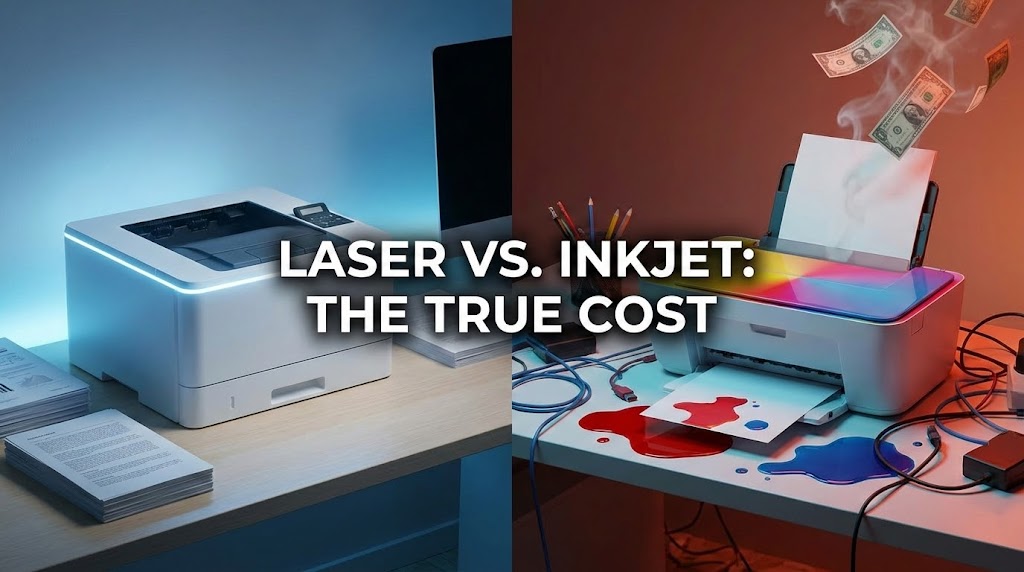
You’re halfway through a critical document when your printer flashes that dreaded message: “Low Ink.” Again.
You replaced the cartridge two months ago, but you only print occasionally—mostly emails and reports. Sound familiar?
If you’re setting up a home office in 2025 or finally replacing that unreliable printer, you’re facing a decision that will impact your wallet for years to come. At Toner Cartridge Depot, we’ve spent over 25 years helping businesses and home offices navigate the printer consumables maze. We’ve seen countless customers make expensive mistakes by choosing the wrong technology.
This guide cuts through the marketing hype with real numbers, real costs, and real-world experience.
The Quick Verdict (BLUF)
- For home offices printing primarily text documents: Choose a monochrome laser printer. The cost per page is 70-80% lower than inkjet, toner never dries out, and speeds are faster.
- For occasional photo printing or heavy color graphics work, inkjet remains superior for photo quality, but expect significantly higher operating costs and maintenance headaches if you don’t print weekly.
The Real Cost of Ownership (The Math)
Here’s where most buyers get trapped. You see a $50 inkjet printer versus a $150 laser printer and think you’re saving money. You’re not. You’re buying into the “razor and blade” business model—cheap hardware, expensive consumables.
Let’s run the numbers for a typical home office printing 2,000 pages per year (about 40 pages weekly):
| Factor | Inkjet (e.g., HP DeskJet) | Laser (e.g., Brother HL-L2350DW) |
| Upfront Printer Cost | $60 | $120 |
| Standard Cartridge Cost | $35 (black), $40 (color set) | $65 (high-yield toner like Brother TN-760) |
| Page Yield (Black) | 200–300 pages | 1,200–3,000 pages |
| Cost Per Page (Black) | 12–17¢ | 2.5–3¢ |
| Annual Cartridge Spending (2k pages) | $240–$340 | $50–$60 |
| Dry-Out Risk | High (unused ink clogs heads) | None (toner is powder) |
| 3-Year Total Cost | $780–$1,080 | $270–$300 |
The verdict: That “cheap” inkjet will cost you $500–$800 more over three years. In our experience serving thousands of home office customers, the laser printer pays for itself within 4–6 months of moderate use.
The Hidden Costs of Inkjet
Inkjet manufacturers count on you not doing this math. Here’s what they don’t advertise:
- Cleaning cycles waste ink: Your printer runs automatic cleaning cycles that consume 10–20% of each cartridge before you print a single page.
- Proprietary cartridges: Most inkjet printers use brand-specific cartridges with chips that prevent third-party alternatives.
- “XL” cartridges aren’t XL: An “XL” black inkjet cartridge yielding 600 pages costs $45—that’s still 7.5¢ per page, triple the laser cost.
Print Quality & Speed: When Each Technology Wins
Text Documents & Business Graphics
Laser printers dominate here. The toner fuses to paper using heat, creating crisp, smudge-proof text that won’t run if the paper gets wet. If you’re printing contracts, invoices, reports, or presentations, laser produces sharper lines and darker blacks than inkjet.
Speed matters too: A budget laser printer outputs 25–30 pages per minute (ppm), while comparable inkjets struggle at 8–10 ppm. Our customers who switched from inkjet to laser report saving 15–20 minutes daily on print jobs.
Photos & High-Resolution Color
Inkjet wins for photography, no contest. Liquid ink blends seamlessly on glossy photo paper, producing smooth color gradients and accurate skin tones. Laser printers can print color images, but they use CMYK toner that’s optimized for graphics, not photography—you’ll see banding and less vibrant colors.
The catch: Photo-quality printing is expensive. A single 8×10 photo on an inkjet costs $1.50–$3.00 in ink and specialty paper. If you print photos monthly or less, you’re better off using a local print service and keeping a laser printer for documents.
The “Dry Out” Problem: Inkjet’s Achilles Heel
This is the #1 complaint we hear from home office users who bought inkjet printers. Here’s what happens:
Inkjet cartridges contain liquid ink that sits in tiny nozzles in the print head. If you don’t print at least once per week, the ink dries and clogs these microscopic nozzles. The printer runs cleaning cycles (wasting expensive ink), and eventually, you’ll need to replace the cartridge even if it’s 80% full.
Our customers often report replacing $40 cartridges after printing just 30–50 pages because the printer sat idle for three weeks. That’s an effective cost of 80¢–$1.30 per page—26 times higher than laser.
Laser toner never dries out. It’s a fine powder sealed in a cartridge. A laser printer can sit unused for 6 months, and it will print perfectly the moment you need it. For home offices with variable printing needs—busy one week, idle the next—this reliability is invaluable.
Best Printer Recommendations for 2025
Based on Toner Cartridge Depot’s analysis of customer feedback and cartridge sales data, here are the printer types we recommend:
For Text-Heavy Home Offices (Best Value)
Brother Monochrome Laser Printers (HL-L2300 series or MFC multi-function models). These workhorses use high-yield Brother TN-730/760 toners that deliver 3,000 pages for $60–$75—just 2.5¢ per page. Brother printers are legendary for reliability, often lasting 10+ years. Upfront cost: $120–$180.
For Occasional Color Needs
HP Color LaserJet Pro (M255dw or similar). Four-color laser for professional marketing materials and presentations. HP 207A toner cartridges yield 1,250 pages. Color cost per page: 8–10¢. Upfront cost: $280–$350.
For Genuine Photo Printing
Canon PIXMA Pro or Epson EcoTank (if you print photos weekly). EcoTank models use refillable ink tanks instead of cartridges, reducing per-page costs from 17¢ to 3–4¢. However, these printers cost $300–$400 upfront and still suffer from the dry-out problem.
Pro tip from our 25+ years of experience: Buy the printer for your primary use case (likely documents), then use a local print shop for the 5-10 photos you print annually. You’ll save hundreds.
Frequently Asked Questions (FAQ)
Is laser printer toner toxic or dangerous?
No. Laser toner is a fine plastic powder (polyester) mixed with carbon pigment. It’s non-toxic and safe for home use. While you shouldn’t intentionally inhale toner dust, normal printer operation poses no health risk. The powder is fused to paper using heat, not chemicals. In fact, toner is more environmentally stable than liquid ink, which contains solvents and VOCs.
Which printer type lasts longer?
Laser printers have significantly longer lifespans. A quality laser printer like a Brother or HP LaserJet has a duty cycle of 50,000–100,000 pages and can operate reliably for 10–15 years. Inkjet printers typically last 3–5 years before print heads fail. At Toner Cartridge Depot, we still supply cartridges for Brother laser printers purchased in 2010—that’s 15 years of service.
Can I print photos on a laser printer?
Yes, but with limitations. Color laser printers can print photos on standard paper or laser-compatible glossy paper, producing acceptable results for business headshots or real estate listings. However, laser cannot match inkjet’s smooth color gradients on dedicated photo paper. If photo quality is critical, inkjet is the better choice.
The Final Verdict: Choose Based on Your Actual Usage
After analyzing thousands of customer experiences and running the numbers, here’s our recommendation framework:
Choose a monochrome laser printer if you:
- Print primarily black-and-white documents, emails, contracts, or reports.
- Print irregularly (a few times per month to several times per week).
- Value reliability and low operating costs.
- Need fast print speeds for multi-page documents.
Choose an inkjet printer (preferably EcoTank) if you:
- Print high-quality photos at home regularly (weekly or more).
- Need premium color output for creative work.
- Print consistently every week to prevent dry-out issues.
- Have a higher tolerance for maintenance.
For most home offices in 2025, the winner is laser. The cost savings alone—typically $500–$800 over three years—justify the slightly higher upfront investment. Add in the reliability, speed, and zero dry-out headaches, and it’s not even close.
Save Money on Cartridges, Regardless of Your Choice
Whether you choose laser or inkjet, Toner Cartridge Depot has supplied affordable, high-quality cartridges and toner for over 25 years. We carry consumables for all major brands—Brother, HP, Canon, Epson, Lexmark, Samsung, and more—at prices significantly below retail.
Ready to stock up? Browse our full catalog of laser toner cartridges and inkjet cartridges and start saving today. With our quality guarantee and fast shipping, you’ll never pay premium prices for printer supplies again.